

Warband Bank
 views
viewsWarband Bank
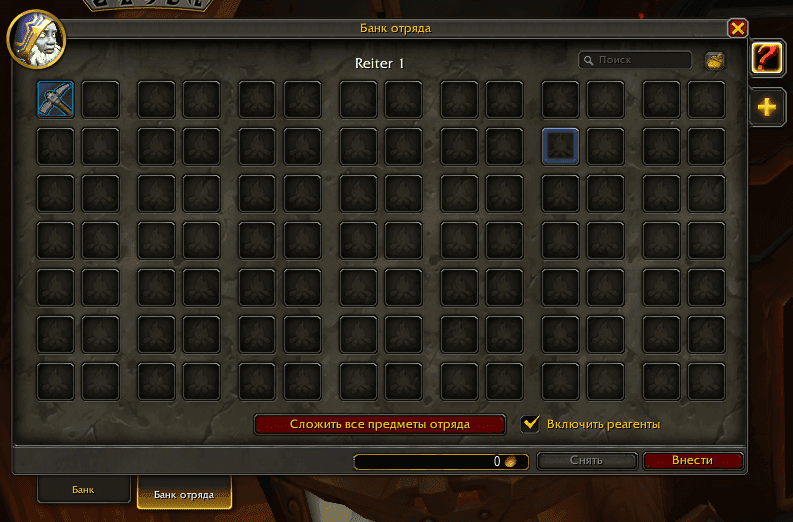
The Warband Bank is a special storage that allows you to create a shared area for storing items and gold, accessible to all characters on your account, including both factions. Players no longer need to mail items between characters — simply place them in the Warband Bank and any of your characters can use the necessary resources directly.
Accessing the Warband Bank
Warband tabs can be used from any location where a character can access their personal bank, since this tab is located at the bottom of the bank window alongside the reagent bank. Such locations include bankers in various cities throughout the game world, as well as Jeeves for Engineers and  Pack Hobgoblin for the Goblin race.
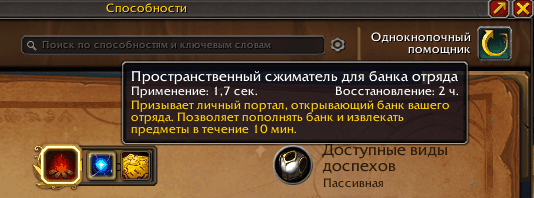
You can also access the Warband Bank tab using a new ability called " Warband Bank Dimensional Compressor", which is activated after completing the following Warband quests:
Warbands: All About Convenience. The player can use a special portal located in the faction room in the Caverns of Time to reach Tanaris Desert. From there, they can fly to the goblin trade town of Gadgetzan.
Warbands: Studying the Rifts. To complete this quest, the player needs to activate six transpositional anomalies, which involves clicking on them and scanning them. These phenomena look like portals.
Warbands: Spatial Specters. In this quest, the player needs to defeat murlocs and kobolds that were partially teleported. This awards eight special spatial residues. Note that the drop chance is not 100%, so you need to kill at least eight mobs to guarantee getting all residues.
Warbands: Doppelganger Anomaly. To complete this quest, you need to activate the transpositional signal recombination device, which will cause doppelgangers to appear — they must be destroyed.
In addition to the quests listed above, pay attention to the quest called "Warbands: Space and Time is Money". To complete it, you need to go to the Gadgetzan merchant's bank, where you must install the De-Recombobulator Matrix while interacting with a special transparent contour found on the floor.
After completing the quests described above, the ability can be found in the Spellbook, available to all characters on your account.
How to Expand Storage Space
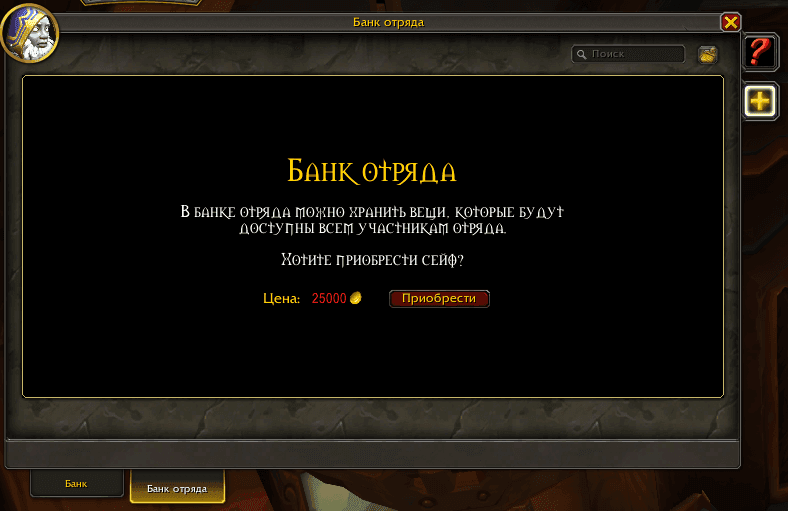
The Warband Bank interface allows you to purchase up to five tabs, each containing 98 slots. In total, players have access to 490 slots.
The cost for the first tab is 1,000 gold, the second — 25,000, and the third — 100,000. The fourth tab costs 500,000 gold, while the fifth costs 2,500,000 gold. If you want to unlock all available tabs, the total cost will be 3,126,000 gold.
What Items Can Be Transferred Between Characters
The bank slots allow you to store any item, as long as they are not soulbound to a specific character.
You can store any consumable items, gold, or special Warband-bound equipment in the bank.
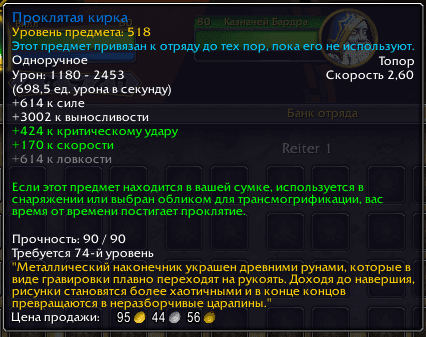
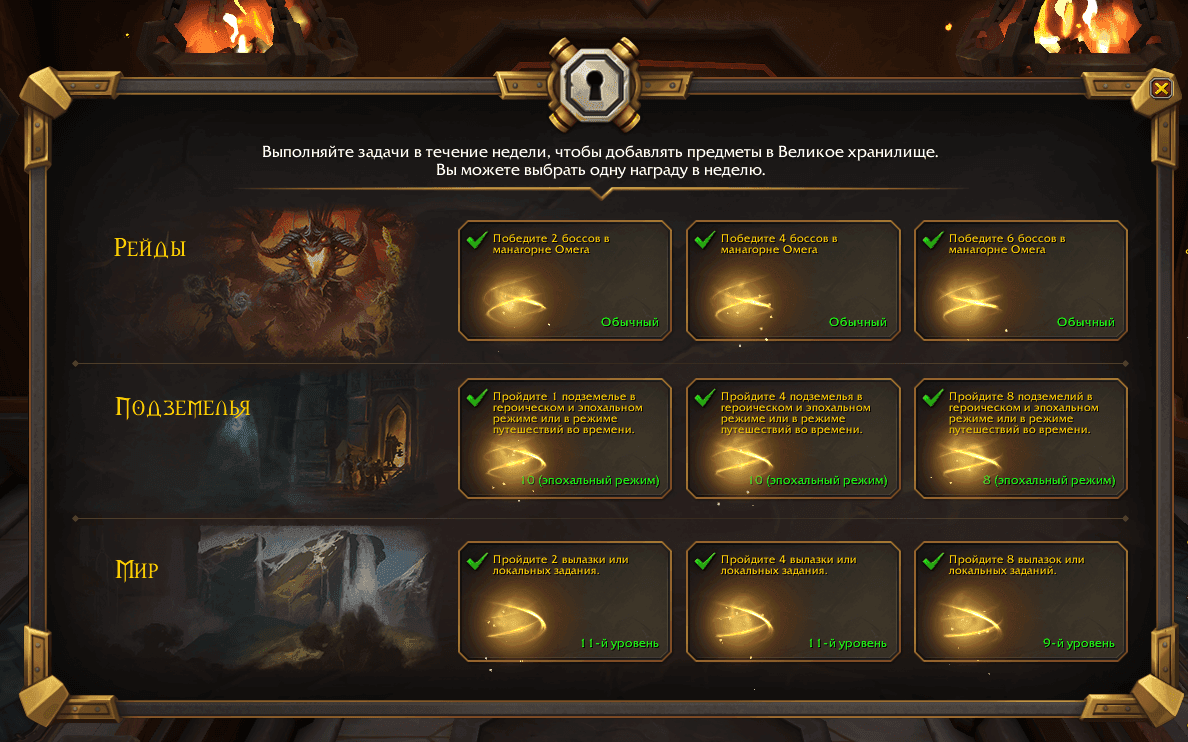
While completing World Quests, killing raid bosses, in Delves, or in Mythic+ dungeons, you may receive special Warband-bound gear that can be transferred to your alternate characters. This gear will be one rank lower than the content where you obtained it. For example, if you receive such an item from killing a boss on Heroic difficulty, the item will be Normal raid quality.
The Warband item drop does not replace your regular reward from the activity. It is additional loot that serves as your personal reward. You can either use it for your main character if you need it, or place it in a Warband Bank slot so another character on your account can claim it.
To transfer an item, simply open the Warband Bank interface and place gold or an item into a slot. Then you can switch to another character in your warband, open the bank, and take the item or gold. The system works for all your characters, regardless of faction or server.
Tips and Useful Information
- "Warband bank is being used by another warband member" Error
This message appearing when trying to open the bank can occur for several reasons.
If your Battle.net account has more than one WoW subscription, and one of your characters is already using the bank, attempting to open it simultaneously on another character will trigger this message.
The message may appear if Blizzard temporarily disabled the Warband Bank. This happened, for example, during the first week after The War Within expansion launch, when developers were fixing technical issues related to the bank feature.
Sometimes this message may appear for other reasons. In such cases, resetting the user interface usually resolves the issue.
- All subscriptions on one account share a single Warband Bank.
If your account has multiple subscriptions (WoW 1, WoW 2, etc.), all characters across all these subscriptions will have access to the Warband Bank regardless of whether they are added to your warband or not.
- Deposit All Warband Items.
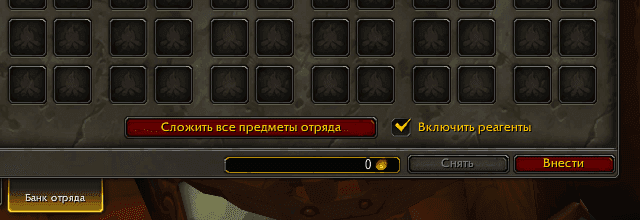
For convenience, the warband interface includes a function to transfer all shared available gear and reagents to the bank. Instead of searching through your bags, you can click a special button.
- Currency Transfer.
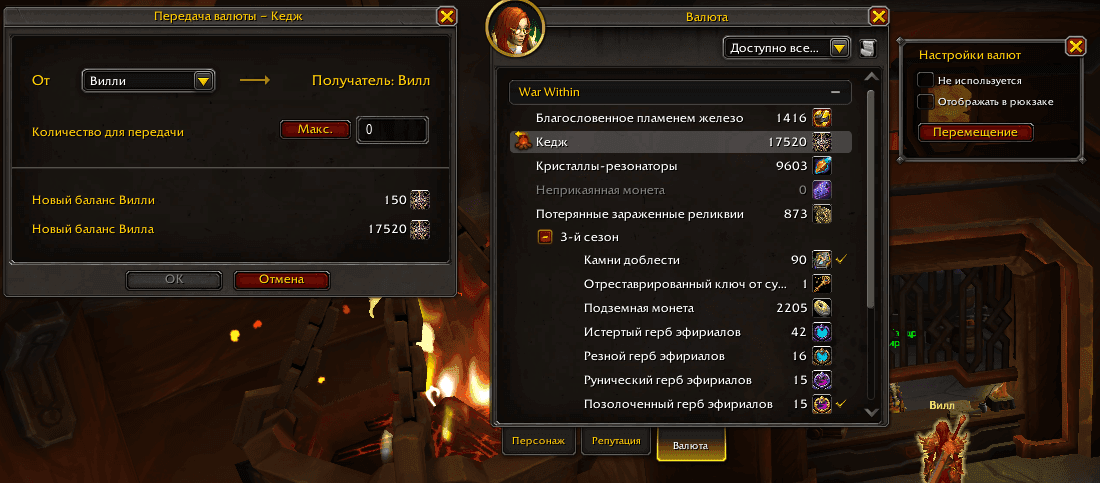
In addition to the bank interface, you can also transfer unbound currency between your characters. Simply open the currency section on your character, click on the desired currency, and transfer it from the selected character to your current one.
Author

Fouren
Fouren has been playing World of Warcraft for over 15 years. He is an active player with 12 Cutting Edge achievements under his belt, and has reached the top 1% and 0.1% multiple times on various classes. His main classes are healers, particularly Holy Paladin.

Comments
0No comments yet. Be the first to comment!