



Quest Item Sparkles in WoW: Forever
 views
viewsWhy Use This
In WoW: Forever, quest items can blend into their surroundings: small crates are easy to miss against a dark wall, grass, or debris, and tiny objects can be hard to spot on the ground. Golden sparkles make objects you need to interact with easier to see.
What the Sparkles Look Like
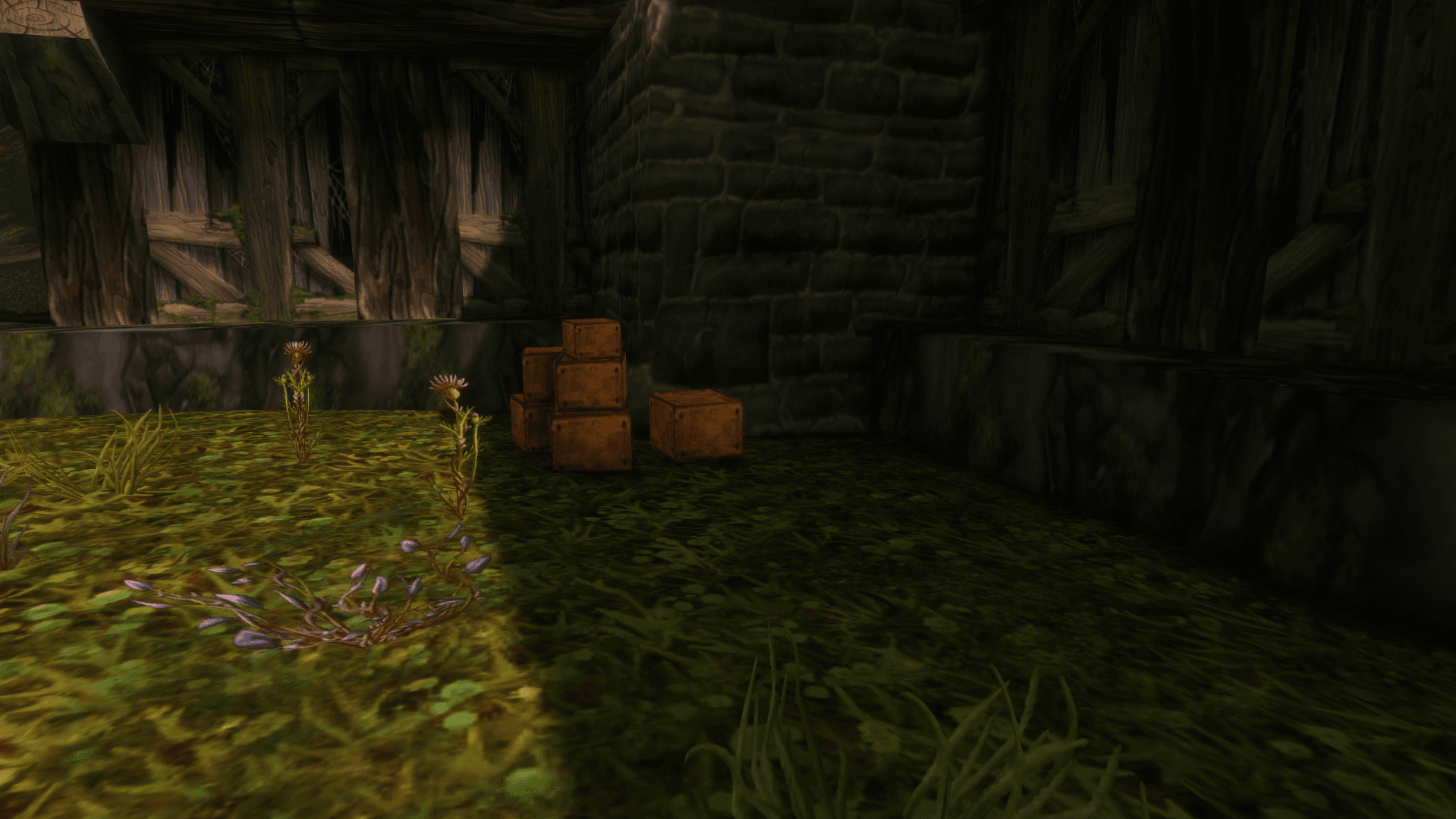
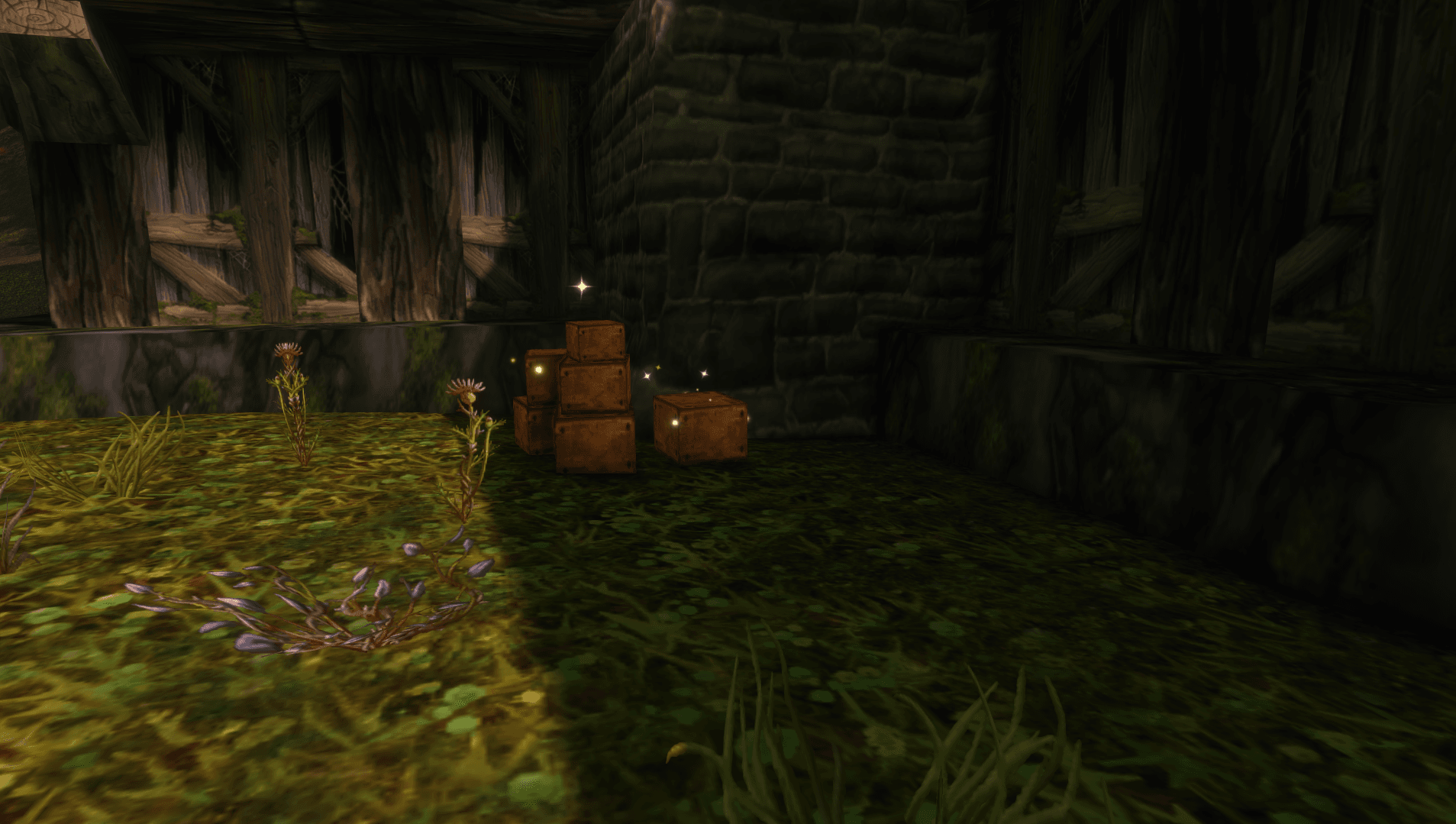
The screenshots show the same crates next to a wall.
Without sparkles, their brown surfaces almost blend into the dark background.
With sparkles, bright golden particles appear above and around the crates. They highlight the objects while preserving their normal appearance.
How to Enable Sparkles
Open the in-game chat and enter the commands one at a time, pressing Enter after each:
/console outlineModeShowLootEffectWhenDisabled 1
/console graphicsOutlineMode 0
These commands disable outline highlighting and enable the built-in sparkle effect on eligible quest objects. This also changes the outline settings for the raid graphics mode.
How to Keep Sparkles After Changing Graphics
A graphics preset may enable outlines again and hide the sparkles. If that happens, enter the commands again.
How to Disable Sparkles
To restore outlines, enter:
/console outlineModeShowLootEffectWhenDisabled 0
/console graphicsOutlineMode 2
Then fully restart the game: reloading the UI is not enough. You can also select a graphics preset again and restart the client.
Author

Fouren
Fouren has been playing World of Warcraft for over 15 years. He is an active player with 12 Cutting Edge achievements under his belt, and has reached the top 1% and 0.1% multiple times on various classes. His main classes are healers, particularly Holy Paladin.

Comments
0No comments yet. Be the first to comment!