


How to Enable Quest Navigation Markers in WoW: Forever

Overview
In WoW: Forever, you can enable a built-in quest objective marker. It appears directly in the game world as a golden crystal, showing where to go and how far you are from the selected location. No addons are required: one chat command is enough.
Forever inherits this feature from the modern World of Warcraft client. When the map alone is not enough, the marker helps you navigate the terrain and find the right place, especially when the objective is above or below your character.
How to Enable Quest Markers
Open the in-game chat, paste the command, and press Enter:
/console showInGameNavigation 1
Then select a quest to track. A marker appears at its objective in the world if the current stage has a specific destination. This may be a location where you complete the quest or the character you need to turn a completed quest in to.
The marker follows the selected quest. To change direction, select another quest you want to head toward.
What It Looks Like In-Game
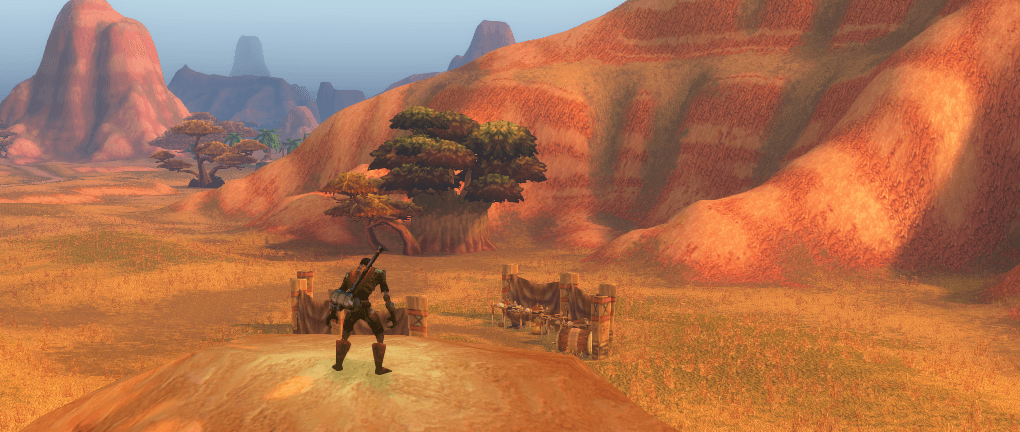
Without the navigation marker:
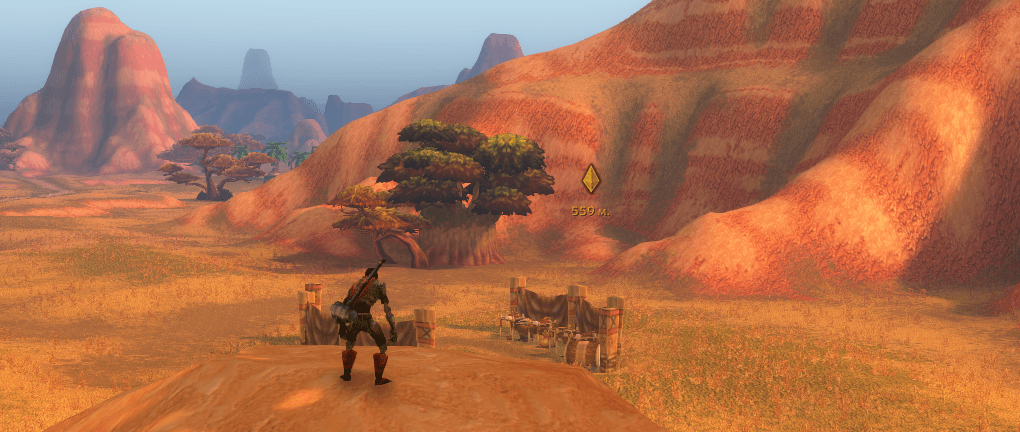
With the marker enabled: a crystal appears above the destination, with the distance shown below it. In this example, the objective is 559 m away.
How to Disable Quest Markers
To hide the marker, enter the same command in chat with the value 0:
/console showInGameNavigation 0
Use the value 1 again to re-enable it.
Author

Fouren
Fouren has been playing World of Warcraft for over 15 years. He is an active player with 12 Cutting Edge achievements under his belt, and has reached the top 1% and 0.1% multiple times on various classes. His main classes are healers, particularly Holy Paladin.


Comments
0No comments yet. Be the first to comment!